사진·오리지널제작
CREATOR'S RESULT
MAKE IT YOURS
당신의 아이디어로 바꿔보세요.
01
원하는 부분을 바꾸고 프롬프트를 복사해요.
02
챗GPT(ChatGPT)에 붙여넣고 첫 결과를 확인해요.
03
한 번에 한 가지씩 바꾸며 나만의 결과를 찾아요.
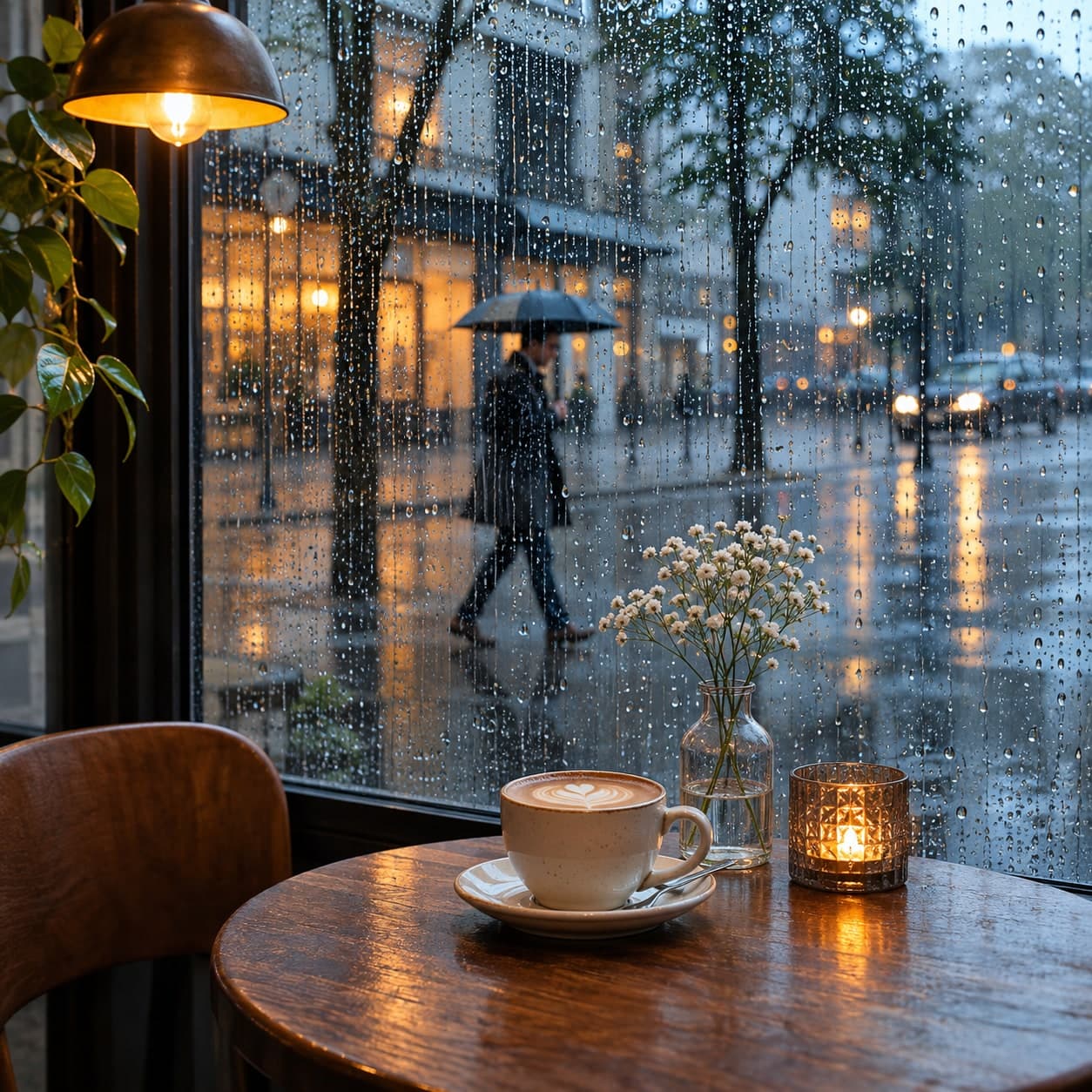
비 오는 창 너머의 도시 사진 프롬프트 비 오는 창 너머의 도시
비 오는 창 너머의 도시의 구도와 재질을 구체적으로 지정한 사진 이미지 생성 프롬프트입니다. 색감과 조명을 바꿔 응용해보세요.
이 프롬프트가 담긴 모음: 사진 실전 프롬프트 모음
나에게 맞게 바꾸기
선택아래 항목을 채우면 프롬프트에 바로 반영돼요.
THE PROMPT846 characters
Use case: photorealistic-natural.
Asset type: original 사진 image example for a reusable prompt library.
Subject and setting: urban street viewed through a rain-speckled cafe window.
Composition: photographic focus on foreground droplets with coherent soft bokeh behind. One finished square 1:1 image; keep the entire essential subject inside the frame with comfortable margins.
Style and construction: Careful photographic study with coherent lens behavior, credible light and natural detail.
Color palette: [색감].
Lighting: [조명].
Finish: crisp focal details, subordinate background, controlled highlights, no accidental tangencies, no repeated or fused objects.
Constraints: no lettering, labels, signatures, watermarks, real brand logos or celebrity resemblance. Any human is an original clearly adult fictional person. Generate the image itself.
입력한 내용을 반영한 프롬프트예요.
크리에이터의 작은 팁
예시값: 색감=steel blue and amber; 조명=large diffused studio key light with a subtle grounded contact shadow. 구도 기준: photographic focus on foreground droplets with coherent soft bokeh behind. 먼저 색감만 바꿔 결과를 비교하고, 주제의 비율·가장자리·재질 연결을 확인하세요. 색감 예시: steel blue and amber 조명 예시: large diffused studio key light with a subtle grounded contact shadow 이미지는 해당 예시값을 사용해 OpenAI 내장 이미지 생성 도구로 직접 제작했습니다. 인물이 등장하는 경우 가상 성인으로 설정했으며 실제 촬영 기록이 아닙니다.
KEEP YOUR CURIOSITY GOING
사진 더 보기 
함께 나누는 이야기 0
직접 써본 경험이나 새로운 아이디어를 들려주세요.
로그인하고 이야기를 남겨주세요.